QuickBooks Online transforms how small businesses manage their finances, but many users struggle with its features. The right QuickBooks Online how-to videos can cut your learning curve from weeks to hours.
We at Optimum Results Business Solutions have identified the most effective video tutorials that cover everything from basic setup to advanced reporting. These resources will help you master essential functions quickly and avoid costly mistakes.
How Do You Set Up QuickBooks Online Properly?
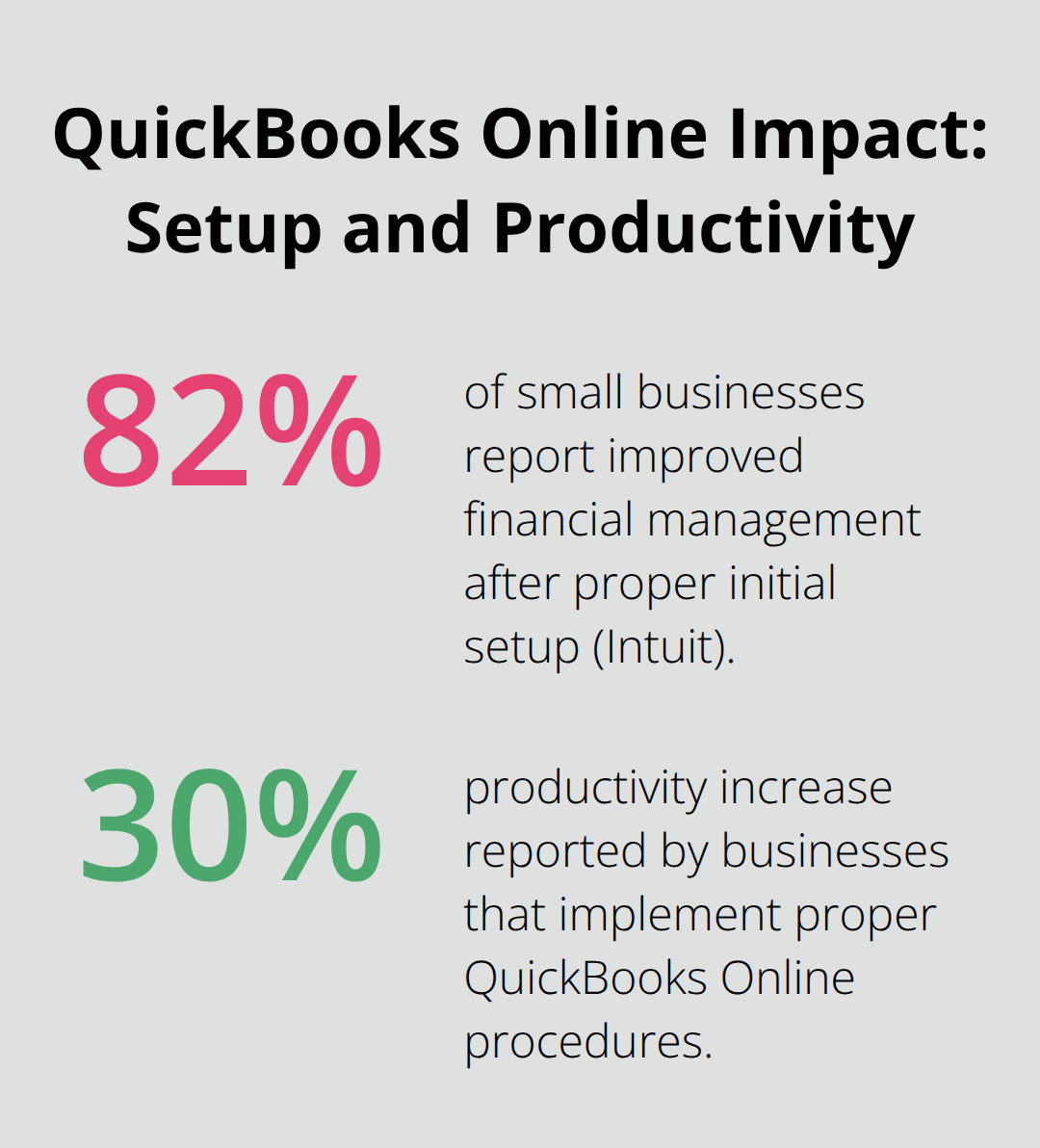
The Setup Module takes approximately two hours to complete and includes 14 video tutorials that build the foundation for effective usage. Intuit research shows that 82% of small businesses report improved financial management when they complete proper initial setup. Enter your company information first, then configure your chart of accounts to match your business structure.
The default chart of accounts works for most businesses, but service companies should add accounts for professional fees and income from consulting. Manufacturing businesses need inventory asset accounts and cost of goods sold categories to track production expenses accurately.
Bank Connection Best Practices
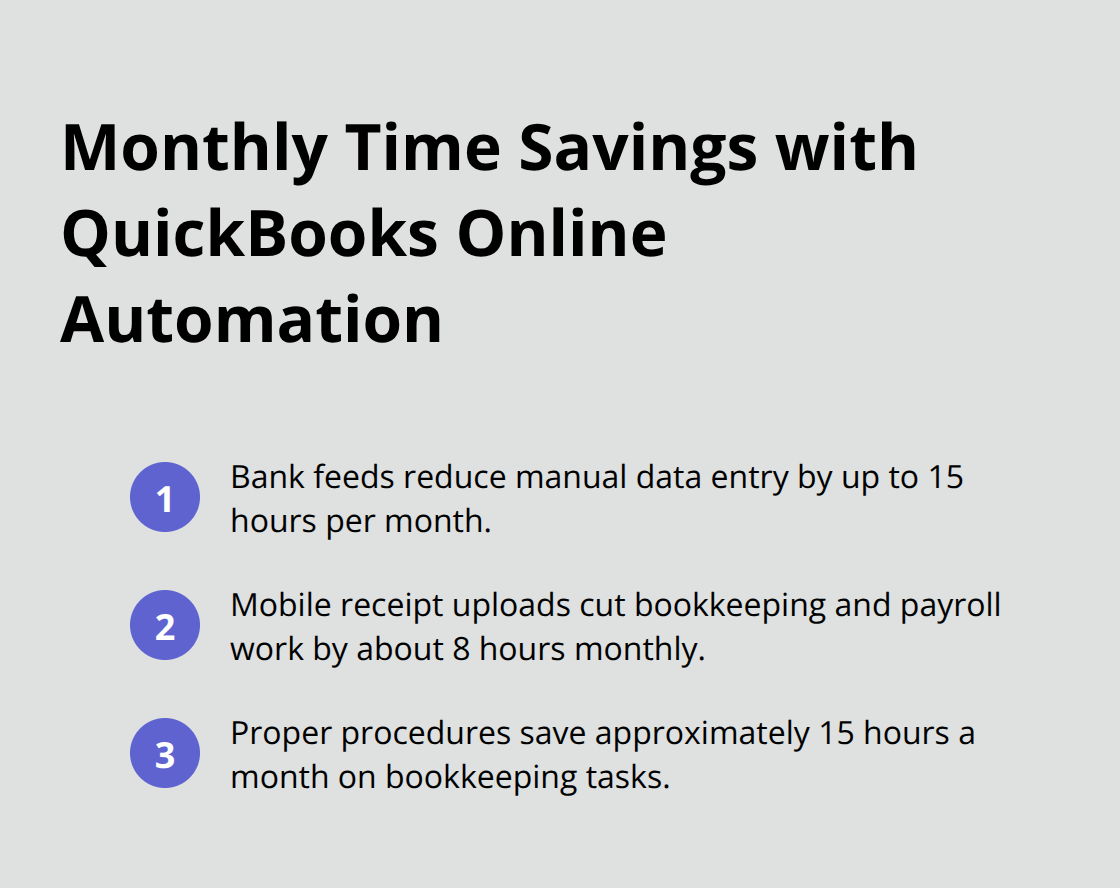
Connect all business bank accounts and credit cards during initial setup to enable automatic transaction import. QuickBooks Online supports bank feeds that import transactions automatically and reduce manual data entry by up to 15 hours monthly (according to Intuit data). Use the Banking tab to link accounts through your financial institution’s online portal.
Most major banks connect within minutes, but smaller credit unions may require 24-48 hours for verification. Set up rules for transactions that repeat monthly after you establish the connection to automate expense categories like utilities and software subscriptions.
Dashboard Navigation Mastery
The dashboard displays real-time financial health metrics that include profit and loss summaries, cash flow status, and outstanding invoice totals. QuickBooks Online integrates with over 800 third-party applications, but you should master core dashboard functions first before you explore additional tools.
The left navigation menu organizes features by function: Banking manages transactions, Sales handles customer interactions, and Expenses processes vendor payments. Customize your dashboard widgets to display the metrics that matter most to your business operations.
Service businesses should prioritize accounts receivable reports and project profitability widgets, while retail companies benefit from inventory levels and sales performance displays. These customization choices will streamline your daily transaction management and data entry processes. If you plan to add employees, you’ll need to enter details for each employee including their name, address, Social Security number, pay rate, and tax withholding information during the payroll setup process.
How Do You Handle Daily Financial Transactions Efficiently?
Daily transaction management demands systematic data entry workflows that prevent errors and maintain accurate records. You create professional invoices through the Sales tab, where you set up recurring bills for regular clients and track payment status automatically. Manual financial processes are slow, prone to errors, and expensive, which is why automated invoices help improve efficiency significantly.
You enter customer payments immediately when you receive them to maintain accurate cash flow visibility. Use the undeposited funds account to hold cash payments before bank deposits. This approach prevents discrepancies during bank reconciliation and keeps your records aligned with actual bank activity.
Expense Tracking and Vendor Management
You establish consistent categorization rules for recurring transactions like utilities, software subscriptions, and office supplies. Upload receipts directly through the mobile app to capture expense details instantly (this reduces monthly bookkeeping and payroll services cost by approximately 8 hours according to Intuit research).
You enter vendor bills as soon as you receive them to track accounts payable accurately and avoid late payment penalties. Set up vendor profiles with payment terms and preferred payment methods to streamline bill processing workflows. This systematic approach eliminates duplicate entries and maintains vendor relationship records.
Inventory and Sales Tax Compliance
You turn on inventory tracking in your settings before you add products, then establish reorder points for each item to prevent stockouts. Inventory management requires real-time updates when you receive products and process sales to maintain accurate stock levels and cost calculations.
Sales tax setup depends on your business location and sales channels, but most states require automatic tax calculation for online and in-person transactions. You configure tax rates for each location where you collect sales tax (most businesses need separate rates for city, county, and state taxes). Run monthly sales tax reports to verify collection accuracy before you file returns with tax authorities.
These transaction management skills form the foundation for accurate financial reporting and analysis.
Which Reports Show Your Real Financial Performance?
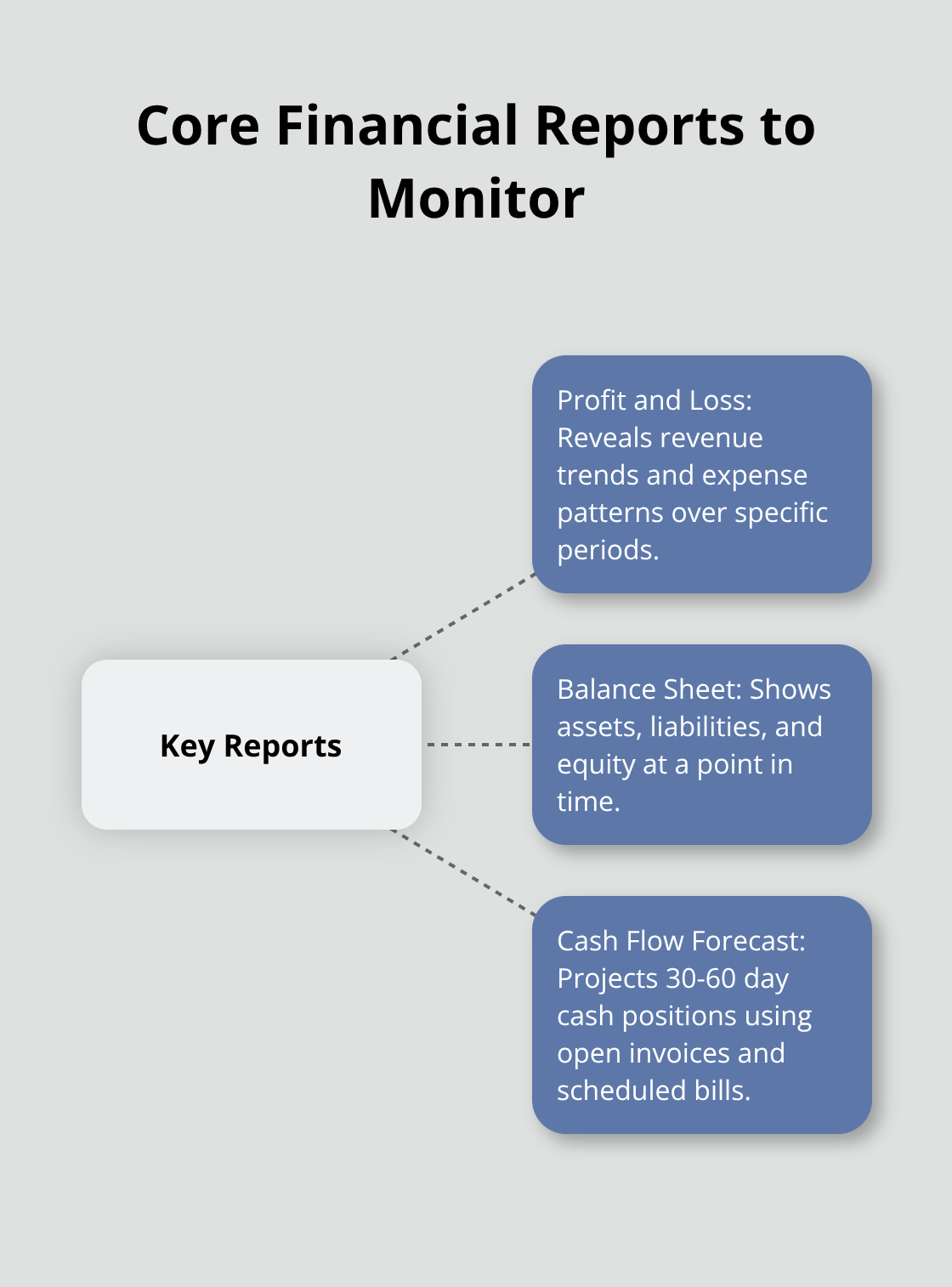
Financial reports transform raw transaction data into actionable business intelligence that drives strategic decisions. The Profit and Loss statement reveals revenue trends and expense patterns over specific periods, while your Balance Sheet displays asset values and liability obligations at exact moments in time. The 2024 Intuit QuickBooks Business Solutions Survey shows how integrated business solutions are crucial to keep growth on track through regular report creation. Access these reports through the Reports tab where you can customize date ranges and filter data by customer, project, or expense category.
Profit and Loss Analysis for Growth Planning
Create monthly Profit and Loss statements to identify seasonal revenue patterns and expense fluctuations that affect profitability. Compare current month performance against previous periods to spot revenue streams that decline or costs that rise and require immediate attention. Service businesses should focus on gross profit margins by client to identify their most profitable relationships, while retail operations need to track inventory turnover rates and cost of goods sold percentages.
Customize your P&L reports to show income by service line or product category for deeper insights into business segment performance.
Balance Sheet Accuracy and Asset Management
Your Balance Sheet must balance assets against liabilities plus equity, and any discrepancies indicate data entry errors that need correction. Review accounts receivable reports weekly to identify overdue invoices that threaten cash flow stability. Monitor your current ratio to assess short-term financial health and your ability to meet immediate obligations.
Cash Flow Forecasting and Payment Tracking
QuickBooks Online creates cash flow forecasts based on outstanding invoices and scheduled bill payments, which provides 30-60 day visibility into expected cash positions. Export these reports to Excel for advanced analysis or share them directly with your accountant through QuickBooks collaboration features that maintain data security while they conduct professional reviews. Track accounts payable aging to optimize payment schedules and maintain positive vendor relationships without compromising cash flow.
Final Thoughts
QuickBooks Online video tutorials deliver measurable results for small businesses. The 59 guides across eight modules provide structured education that reduces setup time from weeks to hours. Businesses that implement proper QuickBooks Online procedures report 30% productivity increases and save approximately 15 hours monthly on bookkeeping tasks.
QuickBooks Online how-to videos cover essential functions, but advanced businesses need complex features like project accounting and multi-user access controls. These capabilities require deeper expertise and professional support to maximize their value. Video tutorials provide foundation knowledge, but complex business scenarios demand expert guidance.
We at Optimum Results Business Solutions understand that video education has limits when businesses face unique challenges. Our QuickBooks Online ProAdvisor support helps service-based businesses and tech startups implement advanced workflows and maintain compliance (while generating accurate financial insights). Professional bookkeeping services reduce financial management costs and improve operational efficiency through expert oversight and customized solutions.